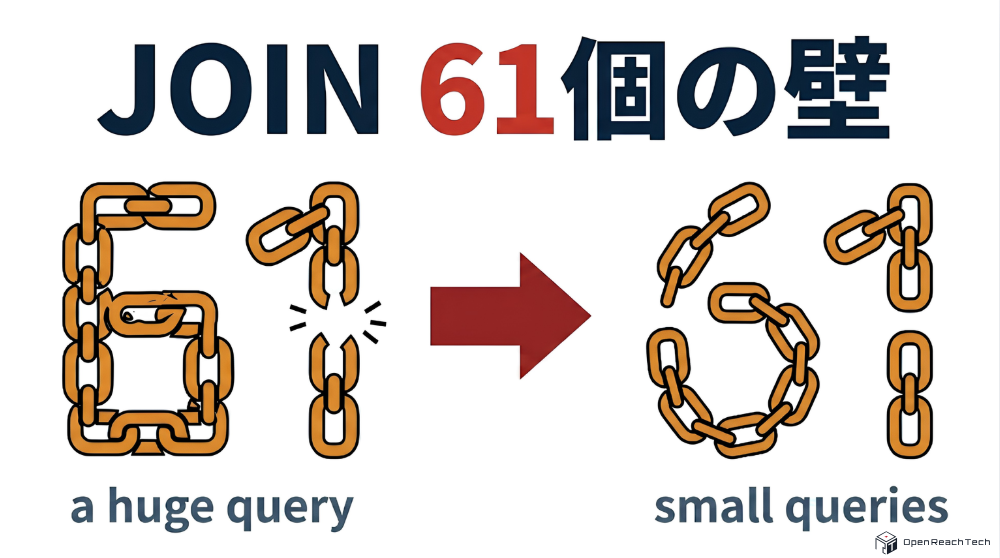
The 61-table JOIN limit wall: splitting huge queries with Sequelize’s separate: true and the architectural trade-offs

A MariaDB (MySQL) “61 tables in a join” error encountered while building with Node.js and Sequelize. This article explains how we avoided the oversized query and the trade-offs of that architecture.
1. Introduction
Hello. In this post I want to share a limitation we hit in an RDBMS while building with Node.js, Sequelize, and MariaDB when we tried to model fairly complex data, and how we addressed it.
I am currently involved in a fairly large custom development project that recreates aspects of a Salesforce-style system. Salesforce is a powerful platform, but this project exists because customers want a dedicated system built from scratch and migrated off Salesforce, mainly for operational cost reasons.
Our stack uses Node.js and the Sequelize ORM on the backend, and MariaDB as the database.
As we modeled Salesforce-like dynamic, complex structures on a conventional RDBMS, we ran into a hard limit that exists in MariaDB (and MySQL). This article describes the context of that error and how we avoided it using Sequelize.
2. The problem: reproducing List View and hitting the error
Salesforce has a very useful feature called List View. For each object (for example “Opportunity” or “Account”), it lets users pull rows that match saved filter criteria and view them flexibly as a list.
In our project, reproducing List View–equivalent behavior was an important requirement.
If we naively mapped “one Salesforce object” to “one giant table,” we would lose flexibility and extensibility. So in our data model we normalized: each object has a main table, and related data lives in multiple tables linked by relations.
We then implemented a List View data API on top of that design. To satisfy the screen requirements, we tried to fetch everything in one go by joining every related table the main row needed, using Sequelize include.
When we called that API for a particular object, the application crashed with this blunt error:
Too many tables; MySQL can only use 61 tables in a join
3. Why it happened
The error means exactly what it says: too many tables were joined in a single query. Three factors combined.
① Table count explosion from normalization
As described, we normalized heavily to meet requirements. A List View needs many kinds of fields at once—parent rows, child rows, referenced master data, and so on. To fully reconstruct one row for the UI, we ended up joining dozens of tables.
② Default behavior of Sequelize include (eager loading)
When loading associations in Sequelize, you typically use include for eager loading.
Sequelize fetches data intelligently, but by default it generates one large SQL statement that LEFT OUTER JOINs every table you listed under include onto the main table.
A few nested include lines in Node.js can turn into a huge, complex JOIN sent to the database.
③ MariaDB / MySQL’s 61-table hard limit
The biggest wall was on the RDBMS side. In MariaDB (and MySQL), a single SELECT can join at most 61 tables.
This is not a soft limit you can raise in a config file; it comes from the engine’s internals.
In short: we normalized into many small tables for good reasons, Sequelize folded them into one giant JOIN, the join count exceeded 61, and MariaDB refused to run the query. That was the full picture.
4. How we solved it
We tried two approaches against the 61-table wall. One failed; we got past the problem by leaning on a Sequelize feature.
What failed: redesigning tables
We caught the error before release, so we first tried to fix the schema itself.
We kept third normal form, but merged some one-to-one satellite tables into the main table or into each other where we could—the simple idea that fewer tables means fewer JOINs.
It was not enough. We merged one-to-one tables as far as we could, but we still wanted 3NF overall. Where related tables include other master tables, we could not merge everything away; LEFT OUTER JOINs in the dozens came back quickly. Fixing only over-split one-to-one tables hit a ceiling, and we still could not get under 61 tables—no fundamental fix.
What worked: Sequelize separate: true
Once we judged schema changes insufficient, we reconsidered the approach of “fetch everything in one giant query.” The feature that helped was separate: true on include.
A major driver of join explosion was nested includes: a hasMany from the main table to children, and each child **include**ing many master tables. When you set separate: true on that hasMany include, Sequelize’s behavior changes dramatically.
Normally Sequelize issues one large JOIN like this.
【Default behavior (one huge JOIN)】
SELECT
  main.*,
  child1.*,
  child2.*
FROM main
LEFT OUTER JOIN child1
  ON main.id = child1.main_id
LEFT OUTER JOIN child2
  ON main.id = child2.main_id
-- This continues for 60+ joins and hits the limit...
With separate: true, Sequelize stops turning everything into one JOIN and splits work into separate queries: one for the main row set, then additional queries for the related tables.
【Behavior with separate: true (split queries)】
-- ① First fetch the main table (and anything still joined the usual way)
SELECT * FROM main;

-- ② Sequelize collects Main IDs in Node.js and loads each related table with IN
SELECT *
FROM child1
WHERE main_id IN (1, 2, 3...);

SELECT *
FROM child2
WHERE main_id IN (1, 2, 3...);
Splitting queries greatly reduces how many JOINs sit inside each SELECT. Sequelize then maps the rows in memory on the Node.js side so the app still receives a nested object graph as if one query had returned it.
By applying this to hasMany paths that were blowing up the join count, we cleared MariaDB’s 61-table limit and could load all required data.
5. Trade-offs and considerations
separate: true was an effective way through the JOIN cap, but it is not a silver bullet; there are clear trade-offs.
① Higher memory and CPU on the Node.js side
Work that used to happen inside MariaDB’s engine—joining rows—now happens in Node.js memory via Sequelize. Very large result sets can spike process memory or stress the event loop while mapping huge object graphs.
In our case we paginated list pages, so after introducing separate: true we did not see memory exhaustion or obvious slowdowns on Node.
② More queries and network overhead
One big round trip becomes the main query plus one query per related table slice that was split out.
(Unlike naive N+1 loops, Sequelize batches with IN, so query count does not explode linearly with row count for each association.)
Round trips still increase, so latency matters more.
③ Choosing where to apply it
Given those trade-offs, you should not sprinkle separate: true on every include. Simple one-to-one joins (belongsTo, hasOne) are best left to the database (note: separate is not supported for one-to-one in the first place). hasMany paths where joins explode, or where giant intermediate join sets overload the DB, are good pinpoint places to use it—that is a reasonable best practice.
6. Closing
This article described the MariaDB (MySQL) 61-table join limit we hit while building a Salesforce-like model, and how separate: true in Sequelize helped.
ORMs are great: intuitive code and fast delivery. But if you ignore what SQL is actually generated and sent to the database, you can slam into RDBMS limits and surprising performance cliffs.
I was reminded again not to treat the ORM as a black box—to watch SQL logs in development and pick framework features to match requirements. I hope this helps anyone wrestling with complex models or the “Too many tables” error.